
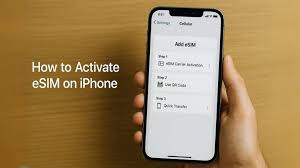
Modern smartphones are constantly evolving, and one of the most useful innovations in mobile technology is the eSIM. Unlike traditional SIM cards that require a physical chip inserted into your phone, an eSIM is a digital SIM that allows users to activate a mobile plan without using a physical card. Many newer iPhone models support this technology, making it easier for users to switch carriers, add multiple plans, or travel internationally without replacing SIM cards.
Activating an eSIM on an iPhone is usually a simple process, but it may vary slightly depending on your mobile carrier and the setup method they provide. In this guide, we will explain how to activate eSIM on iPhone step by step, along with important tips and troubleshooting suggestions to ensure a smooth setup process.
What Is an eSIM?
An eSIM, or embedded SIM, is a small digital chip built directly into a smartphone. Instead of inserting a physical SIM card, users download their carrier profile onto the device. This allows the phone to connect to the carrier’s network without requiring a physical SIM card.
Apple introduced eSIM support with newer iPhone models starting with the iPhone XS and iPhone XR. Since then, many models including the iPhone 13, iPhone 14, and iPhone 15 support eSIM technology. Some recent iPhone models sold in certain countries even use eSIM only, eliminating the traditional SIM card slot entirely.
Benefits of Using eSIM on iPhone
Using an eSIM offers several advantages compared to traditional SIM cards. One major benefit is convenience. Since the SIM profile is downloaded digitally, users can activate a mobile plan quickly without visiting a store or waiting for a SIM card to arrive.
Another benefit is the ability to use multiple phone numbers on the same device. iPhones that support eSIM often allow dual SIM functionality, meaning users can have one physical SIM and one eSIM active simultaneously. This feature is useful for people who want to separate personal and work numbers.
Travelers also benefit from eSIM technology. Instead of purchasing a local SIM card in another country, users can simply download a local data plan from a compatible carrier and start using mobile data immediately.
Requirements Before Activating eSIM
Before activating an eSIM on your iPhone, there are a few important requirements to check. First, your iPhone must support eSIM technology. Most models starting from the iPhone XS and later support this feature.
Second, your mobile carrier must offer eSIM services. Many major carriers around the world now support eSIM activation, but availability can vary depending on the region.
Third, you should make sure your iPhone is connected to a stable internet connection, preferably Wi-Fi, during the activation process. This ensures that the carrier profile downloads successfully.
Finally, you may need a QR code or activation code provided by your carrier. This code allows your phone to download the correct network settings.
Method 1: Activate eSIM Using a QR Code
The most common way to activate an eSIM on an iPhone is by scanning a QR code provided by your carrier. To begin the process, open the Settings app on your iPhone and select the Cellular or Mobile Data option.
Next, tap “Add eSIM” or “Add Cellular Plan.” Your iPhone will open the camera and prompt you to scan the QR code provided by your carrier. Simply point your camera at the code and wait for the phone to recognize it.
Once the code is scanned, your iPhone will display information about the mobile plan. Follow the on-screen instructions to confirm activation. After a few moments, your new eSIM plan should become active.
Method 2: Activate eSIM Through a Carrier App
Some mobile carriers allow users to activate eSIM directly through their official mobile applications. In this method, you simply download the carrier’s app from the Apple App Store and sign in to your account.
Within the app, look for an option related to SIM activation or eSIM setup. The app will guide you through the process of downloading the eSIM profile to your phone. Once the installation is complete, your phone should automatically connect to the carrier network.
This method is convenient because it eliminates the need to scan a QR code. Instead, the carrier’s system handles the activation digitally.
Method 3: Manual eSIM Activation
In some cases, carriers may provide activation details such as a SM-DP+ address and activation code instead of a QR code. These details allow users to activate the eSIM manually.
To do this, go to Settings, then tap Cellular or Mobile Data, and select “Add eSIM.” Choose the option to enter details manually and input the information provided by your carrier.
After entering the required information, your iPhone will download the eSIM profile and activate the mobile network. This method is less common but useful when QR codes are not available.
Managing Multiple eSIM Profiles
One advantage of eSIM technology is the ability to store multiple cellular plans on one device. Although only one or two plans can be active at the same time, users can easily switch between them through the iPhone settings.
For example, a user may keep one eSIM for their home country and another for international travel. Switching between plans only takes a few seconds and does not require changing any physical components.
This flexibility makes eSIM particularly useful for business professionals, travelers, and individuals who manage multiple phone numbers.
Troubleshooting eSIM Activation Issues
Sometimes users may encounter issues during the activation process. If your eSIM does not activate properly, there are several troubleshooting steps you can try.
First, make sure your iPhone is updated to the latest version of iOS. Software updates often include improvements for network compatibility.
Second, check that your internet connection is stable. A weak Wi-Fi connection can interrupt the eSIM download process.
If the problem continues, restarting your iPhone may help refresh network settings. If none of these steps solve the issue, contacting your carrier’s customer support is usually the best solution.
Security and Privacy Benefits of eSIM
eSIM technology also provides certain security advantages. Because the SIM is built directly into the phone, it cannot be easily removed if the device is lost or stolen. This makes it more difficult for someone to misuse your mobile number.
Additionally, switching carriers digitally reduces the risk of SIM card damage or loss. All activation information is stored securely within the device and managed through software settings.
These security benefits make eSIM an attractive option for users who want both convenience and protection.
Conclusion
Activating an eSIM on an iPhone is a simple process that offers many advantages over traditional SIM cards. Whether using a QR code, a carrier app, or manual activation, most users can complete the setup within a few minutes. With support starting from devices like the iPhone XS and continuing through newer models such as the iPhone 15, Apple has made eSIM technology widely accessible.
The ability to manage multiple plans, switch carriers easily, and activate service digitally makes eSIM a powerful feature for modern smartphone users. By following the steps in this guide, anyone can learn how to activate eSIM on iPhone and start enjoying the convenience of this advanced mobile technology.




Leave a Reply